
You press the power button on your PS5. It beeps, maybe the light flickers for a second, and then nothing. No white light, no fan, no picture. Press it again and you get the same beep and the same nothing. It’s one of the most frustrating ways a console can fail, because it feels so close to working.
The good news is that a beep tells you something useful: part of the console is still alive. This guide explains what the PS5’s beeps normally mean, what it usually means when it beeps and won’t start, the checks you can safely do at home, and when it’s time to bring it to a repair bench in Omaha or Lincoln, or mail it in.
What the PS5’s beeps normally mean
Before assuming the worst, it helps to know which beeps are normal:
- One short beep when you press power: normal. The console has accepted the button press and is starting up. A healthy PS5 follows it with a pulsing light and then a steady white light.
- Two beeps while you hold the power button: also normal. Holding power for about seven seconds until the second beep shuts the console down, or (from off) starts it in Safe Mode.
- A beep when you press the eject button: normal on disc models.
- Beep, then nothing (or a brief flash, then dark): this is the problem this guide is about. The button and the standby side of the board are working, but the console isn’t completing its power-up.
Why a PS5 can beep but still not turn on
Even when your PS5 is “off,” part of it is awake. A small standby circuit stays powered so it can listen for the power button, the controller and rest-mode tasks. That standby circuit is what makes the beep. When you press power, it asks the rest of the console to come up: the main power supply output, the voltage regulators that feed the processor and memory, the fan, and so on.
If any link in that chain fails, the console protects itself and stops. You hear the beep because the standby side did its job, but the main system never starts. That’s why “beeps but won’t turn on” is usually a hardware power problem, not a broken button or a bad game.
The most likely causes
1. The internal power supply has failed
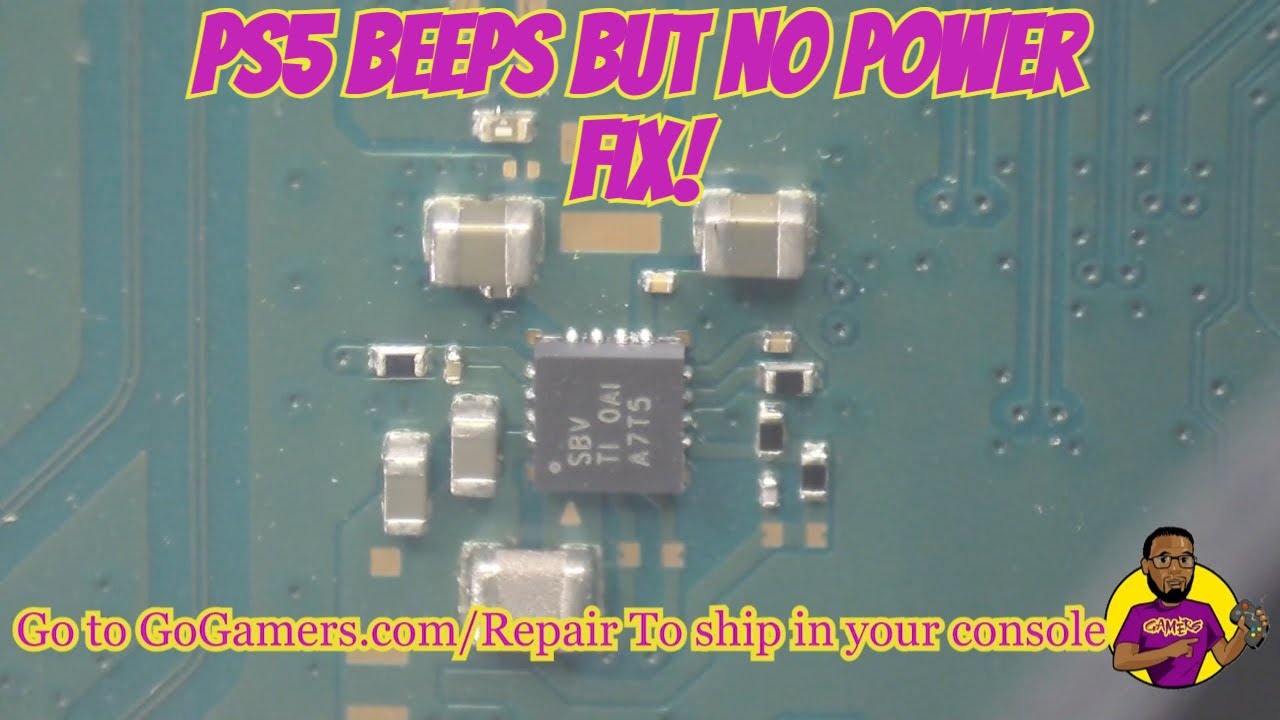
The PS5 has its power supply built in. It can keep putting out enough standby power to beep while its main output is dead or shutting down under load. Power surges, storms, plugging in during a brownout and plain age can all cause this. Replacing the power supply is a common fix for a PS5 that beeps and won’t stay on. Our video below walks through a beeps-but-won’t-turn-on repair on the bench.
2. A short on the motherboard
If something on the main board is shorted (a failed capacitor, a damaged power IC or a component hit by a surge or liquid), the power supply sees the short when the console tries to start and shuts down to protect itself. From the outside it looks exactly like a bad power supply. This is why swapping parts at random can waste money: a new power supply plugged into a shorted board will do the same thing.
3. A failed voltage regulator or power-management chip
The processor (APU), memory and SSD each get their own carefully regulated voltages. If one of the chips that makes those voltages fails, the console beeps, tries to start, and gives up. Finding it means measuring the rails on the board, not guessing.
4. Physical damage from a drop, a move or a previous repair
A ripped fan connector, a cracked board, a damaged ribbon cable or a botched earlier repair can all stop a PS5 from powering up. Pay attention if the problem started right after the console was moved, dropped, opened or “fixed” somewhere else. A PS5 won’t run without its fan working properly.
5. Overheating and dust (less often the root cause)
A badly clogged console usually turns on and then shuts off rather than failing to start at all. But years of dust, pet hair or bugs inside the console can make heat-related failures more likely, and they’re worth checking at the same time.
Safe checks you can do at home first
None of these require opening the console, and they rule out the simple stuff:
- Do a full power reset. Unplug the power cord from the back of the PS5 and leave it unplugged for a few minutes. Plug it back in and try once.
- Change the outlet and skip the power strip. Plug directly into a wall outlet you know works. Worn surge protectors and overloaded strips cause more “dead console” scares than you’d think.
- Try a different power cord. The PS5 uses a standard two-prong “figure-8” cord, the same kind many TVs, PS4s and audio gear use. Make sure it’s pushed all the way into the console.
- Disconnect everything else. Unplug the HDMI cable, USB devices and any external drive, then try to power on. A shorted accessory can occasionally cause trouble.
- Try Safe Mode. With the console off, hold the power button until you hear the second beep (about seven seconds), then connect a controller with a USB cable and press the PS button. If Safe Mode appears, your hardware is at least partly working, and options like “Rebuild Database” or a system software reinstall may help. If you get the same beep and nothing, it’s almost certainly hardware.
- Check where it lives. Make sure the vents aren’t blocked and the console isn’t sitting in a closed cabinet or on carpet.
If none of that works, stop there. Repeatedly cycling power on a console with a short can make the damage worse.
What not to do
- Don’t keep pressing the power button over and over. If there’s a short, every attempt stresses the board again.
- Don’t buy a random power supply first. Unless you’ve confirmed the board isn’t shorted, a new power supply may not fix it, and PS5 power supplies differ between models.
- Don’t open the power supply. Its capacitors can hold a dangerous charge even when unplugged.
- Don’t bake, heat-gun or “reflow” the board. Internet oven tricks cause far more damage than they fix.
How we diagnose a PS5 that beeps and won’t start
On the bench we work through it in order, so you only pay for the repair it actually needs:
- Confirm the symptom and ask what happened right before it stopped (storm, move, spill, earlier repair).
- Inspect inside for liquid, burn marks, damaged connectors, dust and signs of previous work.
- Test the power supply separately from the motherboard.
- Check the board for shorts and measure each power rail to find exactly which component has failed.
- Repair at the component level when that’s what’s needed, such as replacing a failed chip or part rather than writing the board off.
- Test it running before it goes home: power-on, video, fan, disc drive (if equipped) and controller connection.
David records many of these repairs for the Go Gamers YouTube channel, so you can see the kind of work involved before you bring yours in. You’ll also find step-by-step write-ups in our repair guides.
Is it worth repairing?
Usually, yes. A PS5 that beeps has a working standby circuit, and most of what stops it from starting (a power supply or a failed component on the board) is repairable. A board-level repair usually keeps your console, its setup and the data on its built-in SSD, which a replacement console can’t. We’ll tell you what we find before doing the repair, and if it can’t be fixed you’ll know that too.
PS5 power repair in Omaha and Lincoln, or by mail
Omaha: bring it to our Omaha location for same-day repair. Questions? Call or text (402) 703-4403. Diagnosis is free, and if the console can’t be repaired there’s a $40 fee.
Lincoln: bring it to Game Repair Shop inside Gamers in Lincoln at 2711 King Ln, Ste 202 (Mon–Wed 12–7, Thu–Sat 12–8, Sun 12–7). The $25 drop-off fee is credited toward your repair, and turnaround is 3–5 days.
Farther away: see options for out-of-town customers, or mail it in (free diagnosis, $40 if it can’t be repaired, 3–5 days after arrival). Every repair carries a 30-day limited warranty.
We fix every PlayStation, from no-power and HDMI problems to disc drives and overheating. See PlayStation repair for everything we do.